The expense tracker
that shows where your money
actually goes.
Coinly is a personal expense manager and income tracker for Android. Track spending across multiple wallets — each in its own currency — set budgets that warn you before you go over, and see it all converted into one currency on your dashboard, backed up privately to your own Google Drive.
Free to download. No ads, no sign-up, tracking works offline.
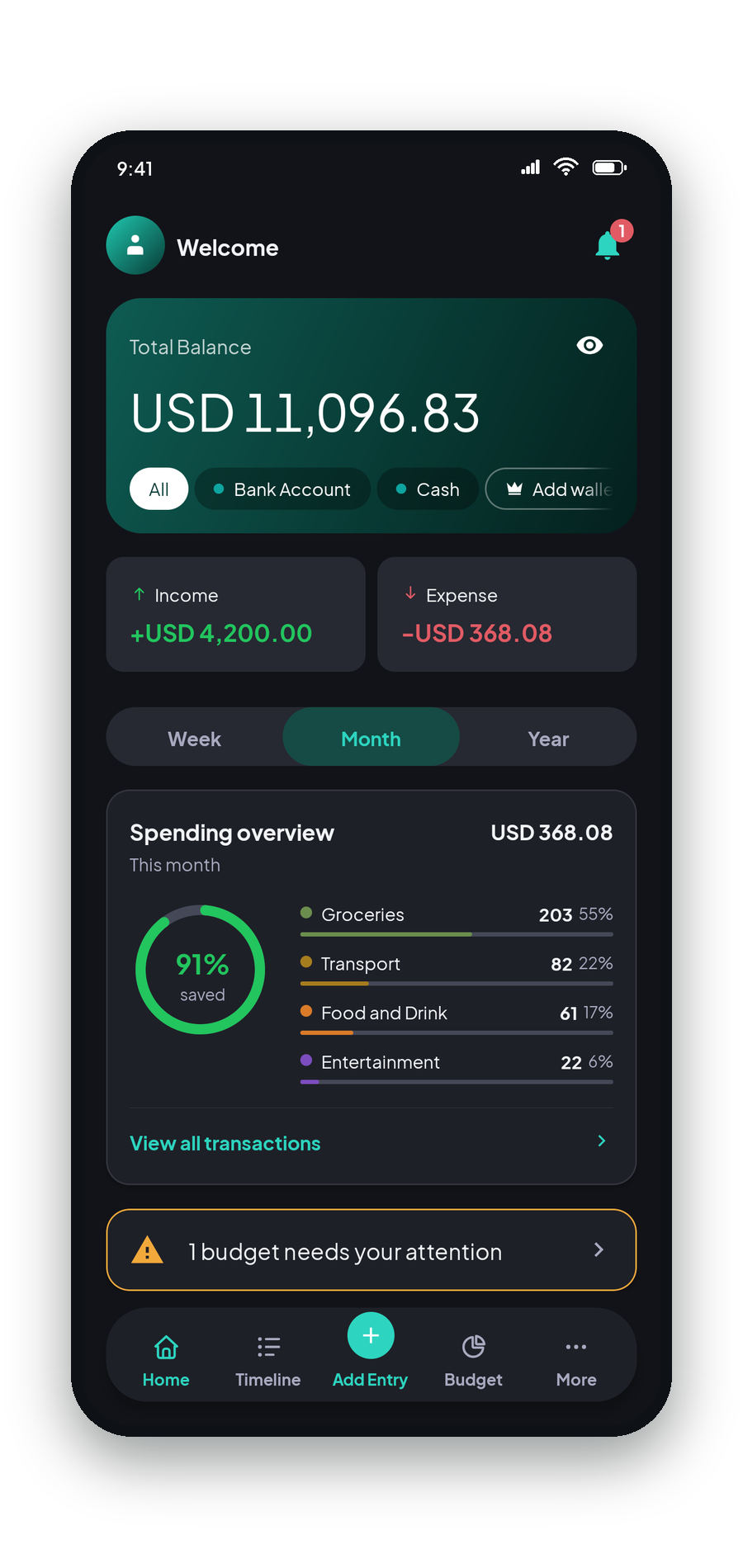
Built to answer one question:
"where did my money go?"
Multi-currency wallets, one dashboard to see it all
Keep a PKR wallet for daily spending and a USD wallet for savings — each currency is locked in at creation, so it never gets mixed up with old transactions. Set a Base Currency once, and Coinly converts every wallet into it automatically using real, daily-refreshed exchange rates.
- Each wallet's currency is locked forever, so nothing can drift
- Give each wallet its own icon and colour, so you can tell them apart at a glance
- Live "≈ amount/day" spend-rate for the days left in the month
- "All Wallets" converts everything to your Base Currency instantly
- More than one wallet or currency is part of Coinly Pro
Custom categories, organized your way
A full set of expense and income categories out of the box, each with its own icon and color — toggle any of them off, and every list respects it instantly.
- Separate expense and income category lists
- Your own icon and color per category
- Live transaction counts, right in the list
Monthly budgets that watch a pool of categories
A Coinly budget isn't tied to one category — group Entertainment + Dining into a single "Discretionary" pool, weekly, monthly or yearly, always scoped to one wallet so its progress is never blended across currencies.
- Live progress hint while you're still adding the transaction
- Tap any budget card to expand its per-category breakdown in place
- Every period kept as its own record, so you can compare against last month
- Alerts screen tells you when you're near or over
Every budget remembers every month
A budget isn't one number you keep overwriting. Each period is its own record, so raising your grocery cap in August doesn't quietly rewrite July — and once a month ends, you can see whether it was better or worse than the three before it.
- Each period sealed with what you budgeted at the time
- "You usually spend ⟨amount⟩ a period", averaged over finished periods only
- Missed periods are filled in automatically when you reopen the app
- Past budgets keeps the ones you've stopped running
Every expense and income, one searchable timeline
Timeline groups everything by day with a running daily total, filters down to Income, Expense, or just your recurring entries, and shows attached receipts right in the list — swipe to delete.
- Day-grouped ledger with per-day totals
- Filter by All, Income, Expense, or Recurring
- Attached receipts show inline
- Export any period to CSV or a PDF report with Coinly Pro
Recurring expenses: set once, Coinly remembers
Fast enough for a one-off expense — quick-reuse chips, a receipt photo, a live budget hint before you even save — and smart enough to handle the ones that repeat. Toggle "Repeat this transaction," pick daily, weekly, monthly or yearly, and Coinly logs it automatically from then on — including any occurrences you missed while the app was closed.
- Recurring expenses or income — daily, weekly, monthly or yearly
- Set an end date, or leave it running until you say stop
- Attach a receipt from camera or gallery
Your backup, in your own Drive
Back up every wallet, transaction, category and budget to a single hidden file in your own Google Drive — then restore it onto a new phone and carry on exactly where you left off. Coinly has no servers, so there is nowhere else for it to go.
- Uses Google's restricted
drive.appdatascope — the rest of your Drive stays invisible to Coinly - Backup, Restore and Disconnect, each one tap from More
- Connecting never overwrites a backup that is already there
- Optional — everything works without an account at all
What you actually get
The same screenshots you'll see on Google Play — real screens from the app, nothing staged.
Your data stays yours.
No ad trackers, no data reselling — just your numbers, private by design.
Backs up to your own Drive
Backups go straight into your personal Google Drive's hidden app storage — not Coinly's servers. We don't have one.
Narrowest permission possible
Backup uses Google's restricted drive.appdata scope — Coinly can never see
or touch the rest of your Drive.
Works offline
Every wallet, transaction and budget lives on your device — logging, budgets, search and history all work with no connection. Only exchange rates, Drive backup and Pro reach the internet, and each is something you opt into.
Free to start. Upgrade when you outgrow it.
No ads, no time limit, and no sign-up wall. The free plan is a real plan, not a trial — unlimited transactions, receipts, recurring entries and Google Drive backup are all included.
Free
Everything you need to start tracking today.
- 1 wallet
- 1 active budget
- One currency
- Unlimited transactions & categories
- Receipt photos and recurring entries
- Google Drive backup
👑 Pro Yearly
Works out at $1.00 a month.
- Unlimited wallets
- Unlimited budgets
- Any currency, all combined in one total
- Export to CSV and PDF
Pro Monthly
The same Pro features, month to month.
- Everything in Pro
- Cancel anytime in Google Play
- No commitment
Pro Lifetime
Pay once. No subscription, ever.
- Everything in Pro, permanently
- No renewals to remember
- About two and a half years of Yearly
Prices are shown in your local currency on Google Play. Subscriptions renew until cancelled; Lifetime is a single payment.
Questions, answered.
Yes. The free plan is a real plan, not a trial: unlimited transactions, unlimited categories, receipt photos, recurring entries and Google Drive backup are all included, with no ads and no account required. It covers 1 wallet and 1 active budget, in one currency. Coinly Pro removes those limits — unlimited wallets, unlimited budgets and any currency — and adds export to CSV and PDF.
Yes — Coinly is live on Google Play and free to download. The free plan needs no account, and tracking works with no connection; only exchange rates, Google Drive backup and Coinly Pro need the internet. Pro can be unlocked from inside the app whenever you want it.
On your device, first and always. Backups are optional and go directly into your own Google Drive's private app storage — Coinly has no servers of its own and never sees your data.
Yes, with Coinly Pro. The free plan covers 1 wallet in the currency you pick during setup; Pro makes wallets unlimited and lets you hold them in different currencies. With Pro, each wallet has its own currency, chosen once and locked forever so it never gets mixed up with old transactions or budgets. Coinly then converts everything into your Base Currency automatically using daily-refreshed real rates whenever you view "All Wallets." Look at a single wallet on its own and it always stays in its native currency, unconverted.
Real rates, refreshed daily and cached on your device — no manual entry, no guessing. With Coinly Pro you can change your Base Currency whenever you like, and doing so never breaks old conversions, since the cache is anchored independently of whatever currency you're reporting in.
A budget watches one or more categories combined into a shared pool — for example "Discretionary" = Entertainment + Dining — weekly, monthly or yearly, always scoped to exactly one wallet, in that wallet's own currency. Pick no categories at all and it caps every expense in that wallet instead. Each period is kept as its own record, so you can compare this month against the ones before it.
Yes. Toggle "Repeat this transaction" on any expense or income, choose daily, weekly, monthly or yearly, and optionally set an end date. Coinly logs it automatically from then on — recurring entries even get their own filter in Timeline.
English, Spanish, Portuguese (Brazil) and Indonesian. Coinly follows your phone's language, or you can choose one in More › Language — numbers and dates follow the language you pick.
Coinly is Android-first for now. If there's enough demand, iOS is on the table down the line.
Coinly is live on Google Play.
Free to download, no account needed. You can be tracking your first expense in under a minute.
Get it on Google Play